
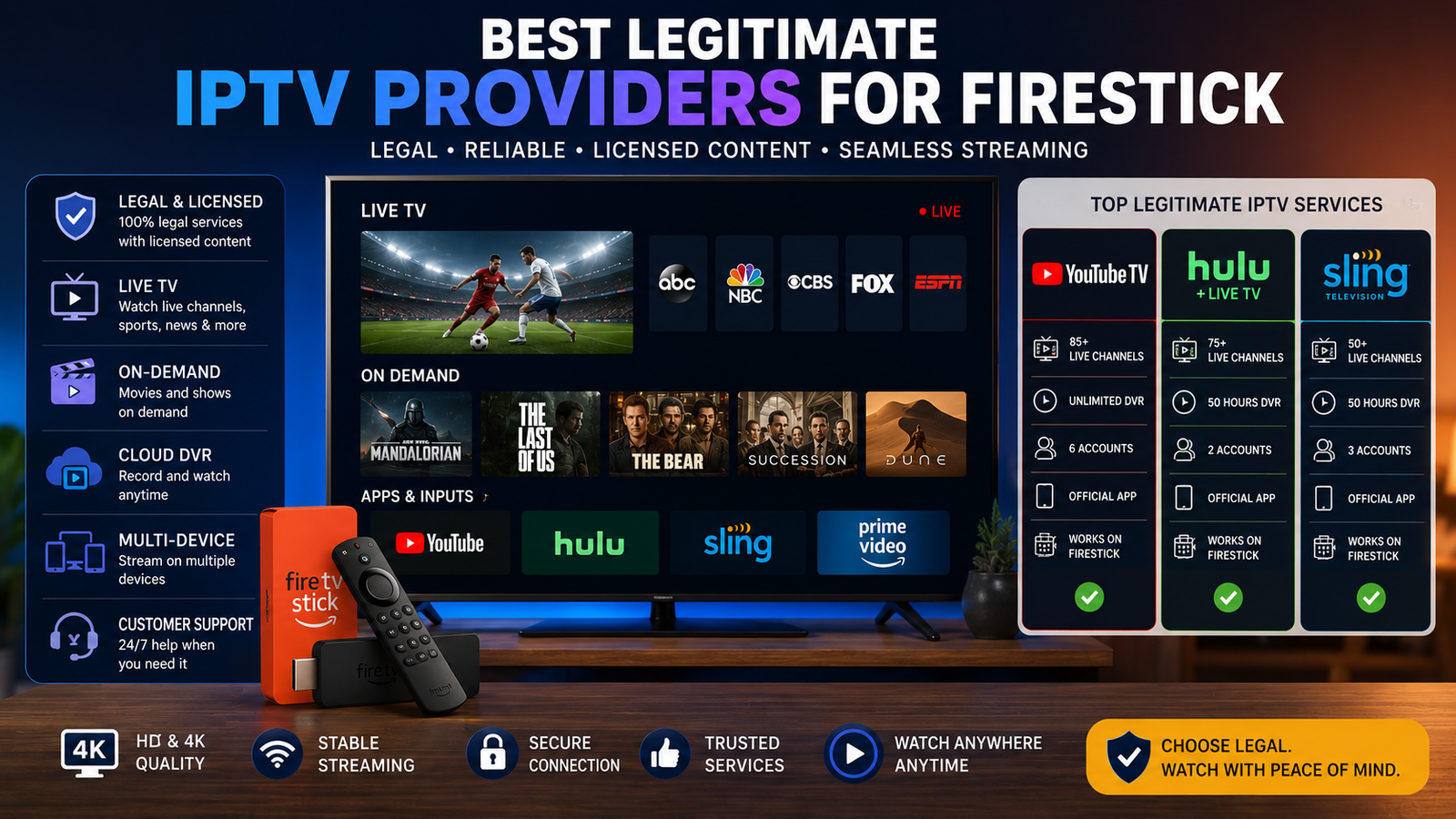
IPTV can mean anything from a fully licensed live TV streaming subscription to a free ad-supported channel app, so the “best” choice depends on what you want to watch, which device you use, and whether the service has legal distribution rights. For Fire TV users, the safest shortlist starts with recognizable, legitimate IPTV services such as YouTube TV, Hulu + Live TV, Sling TV, Fubo, Philo, DIRECTV, Pluto TV, and Tubi. This review looks at the providers that made sense for 2023-era cord-cutters while noting that prices, channel lineups, and device support can change, so you should confirm the latest details before subscribing.
What should count as a top IPTV provider?
A top IPTV provider should offer licensed content, reliable apps, transparent billing, clear device support, and a channel mix that fits your household. In practical terms, that means choosing legitimate iptv providers with official apps or documented device compatibility instead of anonymous services promising every premium channel, live sport, and pay-per-view event for a suspiciously low monthly fee.
IPTV stands for internet protocol television. It simply means TV delivered over an internet connection rather than through traditional cable, satellite, or antenna signals. That broad definition includes mainstream live TV platforms, free ad-supported streaming TV apps, and private playlist-based services. The problem is that the same term is often used by unlicensed sellers, which is why an iptv service comparison should begin with legality and trust, not just channel count.
For a Fire TV household, a strong IPTV provider usually checks these boxes:
- Licensed programming: The provider has recognizable rights, network partnerships, or an official app ecosystem.
- Clear plan information: You can see what channels, add-ons, DVR features, and limits are included before paying.
- Fire TV support: The app works on Fire TV Stick, Fire TV Cube, or Fire TV smart TVs without risky workarounds.
- Stable playback: Streams load consistently during peak viewing hours, especially for live sports and news.
- Simple cancellation: You can manage your account without chasing a reseller through messaging apps.
- Reasonable privacy practices: Payment pages, account logins, and apps look professional and secure.
Amazon’s Fire TV help documentation notes that users can watch live TV through supported apps, browse live programming from the Fire TV home screen, and customize favorite channels, although some apps require paid subscriptions. That makes the device a natural fit for legal IPTV, but it also makes it important to choose apps from trustworthy sources. (digprjsurvey.amazon.com)

The main types of IPTV services
Not every IPTV option is trying to solve the same problem. Some replace cable, some supplement it, and some simply play a playlist you already have. Understanding these categories will keep you from comparing unlike services.
Full live TV replacements
Services such as YouTube TV, Hulu + Live TV, Sling TV, Fubo, and DIRECTV are the closest substitutes for cable. They usually bundle live news, entertainment, sports, local channels in many markets, cloud DVR features, and on-demand programming. They are often more expensive than niche apps, but they are also easier to evaluate because channel lineups, device support, and account terms are publicly documented.
These are typically the best fit if you want one primary iptv streaming service for firestick and do not want to manage multiple apps. They are also the safest answer for households that need sports, local stations, and familiar cable networks in one place.
Budget entertainment bundles
Philo sits in a different lane. It focuses on entertainment and lifestyle channels rather than trying to cover every local broadcast and major sports need. That can make it attractive for viewers who mostly watch reality TV, home, food, documentary, and general entertainment programming. Philo’s current support page lists Fire TV among its supported big-screen devices, which is a practical advantage for Fire Stick users. (help.philo.com)
The trade-off is that a budget bundle may not replace cable for sports fans or viewers who rely on local channels. It works best when paired with an antenna, a free live TV app, or a separate sports subscription.
Free ad-supported TV apps
Free ad-supported streaming TV, often called FAST, became a major part of the cord-cutting conversation by 2023. Pluto TV and Tubi are two common examples. They do not usually replicate a cable lineup exactly, but they offer live-style channels, movies, series, news clips, themed programming, and lean-back viewing without a traditional monthly bill.
Tubi’s supported-device documentation lists Amazon Fire TV and Fire TV Stick among supported U.S. devices, and Pluto TV’s platform documentation lists Amazon Fire TV, Fire Stick, Fire TV Cube, and Fire Tablets. For anyone searching for the best free iptv for firestick, these free, recognizable apps are safer starting points than unknown APKs promising premium channels for free. (tubitv.com)
IPTV players
An IPTV player is not the same thing as an IPTV provider. A player is the app interface that reads a playlist, EPG, or login from a separate service. The player may organize channels beautifully, but it does not automatically make the underlying content legal.
This distinction matters because many searches for iptv player firestick apps lead to sideloading guides, unofficial downloads, and confusing claims. If you already have a legitimate playlist from a lawful provider, a player can be useful. If a seller tells you the player unlocks every channel in the world, treat that as a warning sign.
Top legitimate IPTV providers reviewed
The providers below are grouped by the viewer they serve best. This is not a claim that one service is universally superior. Instead, it is a practical review of how each option fits common streaming needs, especially for people comparing iptv providers on Fire TV devices.
YouTube TV for a simple cable-style replacement
YouTube TV became a go-to choice for many cord-cutters because it feels familiar: live channels, a guide, sports, news, entertainment, and cloud DVR-style viewing in one app. For households that want to cut the cable cord without rebuilding their entire TV routine, it is one of the easiest services to understand.
Its strongest use case is convenience. You open one app, browse live channels, record shows, and search across a broad live TV package. For Fire TV users, Google’s YouTube TV help page lists several Fire TV Stick models and Fire TV Cube devices among supported streaming devices, which makes it a relevant option for an iptv firestick setup. (support.google.com)
The main drawback is that a broad bundle can cost more than narrower services. If you only watch a handful of entertainment channels, you may be paying for coverage you do not need. But if you want a polished, mainstream answer to “best iptv streaming service for firestick,” YouTube TV belongs in the conversation.
Hulu + Live TV for live TV plus a large on-demand ecosystem
Hulu + Live TV appeals to viewers who want live channels and a deep on-demand library under one account. Its value is not only the live guide; it is the combination of current TV, Hulu originals, movies, and live programming. That makes it especially practical for households where some people watch live sports or news while others mostly stream shows on demand.
Hulu’s support information lists Fire TV among supported devices, while also noting that some older hardware, such as the first-generation Fire TV Stick, may no longer be supported. That detail matters: the best service can feel frustrating on outdated hardware, so confirm your exact device generation before blaming your internet connection or the app. (help.hulu.com)
The downside is package complexity. Bundles, add-ons, ads, premium networks, and supported features can change, so shoppers should check the current plan details rather than relying on an old 2023 review. Still, for a mixed live-and-on-demand household, Hulu + Live TV is one of the most complete legitimate iptv services.
Sling TV for flexible, lower-commitment live TV
Sling TV has long appealed to viewers who do not want the largest possible live TV bundle. Its pitch is flexibility: start with a base plan and add extras if you need more sports, entertainment, news, or language-specific programming. Sling’s Fire TV support page says the app can be downloaded on Fire TV Stick, Fire TV Cube, Fire Tablets, Echo Show devices, and smart Fire TVs, and it describes a setup process through the Amazon device search and download flow. (sling.com)
Sling is a good fit if you are price-conscious but still want recognizable live channels. It can also work well for viewers who only need live TV during certain seasons, such as sports playoffs or major events. The trade-off is that building the right package requires attention. A base plan plus add-ons can become less simple if you are chasing several must-have networks.
For many people searching for the best iptv for firestick, Sling is worth testing because it balances mainstream legitimacy with more customization than the biggest bundles.
Fubo for sports-first households
Fubo’s identity is sports-forward live streaming. It is often considered by viewers who care about live games, sports networks, and a cable-like guide experience. That does not mean it is only for sports, but sports is the reason many shoppers put it high on the list.
Fubo’s device support page says the service is available on multiple platforms and lists all Fire TV devices and Fire TV Edition TVs with Fire TV built in, subject to stated operating system requirements. That makes it a serious candidate for anyone who wants a sports-heavy iptv streaming service for firestick. (support.fubo.tv)
The caution is cost and channel fit. Sports-oriented packages may include networks you care about, but availability can vary by market and plan. Before subscribing, list the leagues, regional channels, and national networks you actually watch. Then confirm them directly in Fubo’s current lineup tools.
Philo for entertainment without the sports premium
Philo works best for viewers who want live entertainment channels and do not want to pay for a sports-heavy bundle. It is especially useful for homes that watch lifestyle, reality, home improvement, documentary, comedy, and general entertainment networks.
The benefit is focus. Because Philo is not trying to be everything to everyone, it can be easier to decide whether it fits you. If your must-have list does not include major live sports or local broadcast coverage, Philo may deliver the channels you watch most without the clutter of a larger cable replacement.
Its limitation is equally clear: it is not the best single-app replacement for every household. Sports fans, local news loyalists, and viewers who need broad broadcast coverage may need another service alongside it. But in a realistic iptv service comparison, Philo deserves attention because many people overbuy live TV when a narrower entertainment bundle would do.
DIRECTV for a premium, familiar TV experience
DIRECTV is most relevant for viewers who want a familiar guide, a broad channel feel, and a more traditional TV experience delivered over the internet. It can be attractive for households that are leaving satellite or cable but do not want streaming to feel too different.
DIRECTV’s support page lists compatible streaming devices for the DIRECTV app and includes Amazon Fire TV models using Fire OS 5 or higher, with specific Fire TV Stick, Fire TV, Fire TV Edition Smart TV, and Fire TV Cube requirements. It also notes that users need a compatible internet-connected device, a DIRECTV account, and the app downloaded from the device’s app store. (directv.com)
The trade-off is that premium familiarity can come with a higher bill or more plan complexity. DIRECTV is best for viewers who value a broad, traditional lineup enough to pay for it. If you only need a few channels, leaner services may be better.
Pluto TV for free live-style channel surfing
Pluto TV is a strong option for viewers who miss the feeling of channel surfing but do not need a traditional cable lineup. Instead of selling a monthly bundle, it offers free ad-supported channels organized around genres, shows, movies, news, and themed programming.
For Fire TV users, the appeal is frictionless viewing. Install the app, browse channels, and use it as a casual background-TV option. Pluto will not replace every paid network, live sport, or local channel, but it can reduce the need for paid TV if your habits are flexible.
Pluto is also a useful baseline when evaluating “free IPTV” claims. If a free app is legal, recognizable, and available on mainstream platforms, it is much easier to trust than an unknown service claiming to include premium sports, new movies, and every cable channel at no cost.
Tubi for free movies, shows, and live channels
Tubi is another practical free option, especially for viewers who care about movies, older series, genre browsing, and ad-supported viewing. It also offers live TV-style sections, but its real strength is casual discovery without a monthly subscription.
For a Fire Stick owner, Tubi is one of the easiest recommendations because it is official, free, and widely supported. It is not the same as a paid live TV replacement, so expectations matter. Think of it as a supplement that fills downtime, not as a complete answer for live sports, local stations, or every cable network.
When people ask for the best free iptv for firestick, the honest answer is usually a combination: Pluto TV for channel-style browsing, Tubi for free on-demand depth, and possibly an antenna for local broadcast channels if your TV setup supports it.
What is the best IPTV player for Firestick?
The best IPTV player for Firestick is the one that supports your legitimate source, is easy to navigate with a remote, and does not require unsafe downloads. For most mainstream users, the best “player” is actually the official app from the provider; for lawful M3U or playlist-based viewing, a dedicated player may help, but it should never be used to justify unlicensed content.
This is where the keyword “free iptv player for firestick” can be misleading. A free player does not include legal channels by default. It may simply give you a place to enter a playlist URL or account credentials. If that playlist comes from a legitimate provider, fine. If it comes from a seller offering thousands of premium channels for almost nothing, the player is not the real issue—the content source is.
If you are asking, “what is the best iptv player for firestick,” evaluate players with this checklist:
- Source transparency: Does the app come from a trusted store or clearly identified developer?
- Content separation: Does the player make clear that it provides no channels on its own?
- Remote-friendly design: Can you browse, search, and change channels comfortably from the couch?
- EPG support: If you use a legal playlist, can it display guide data cleanly?
- Performance: Does it handle live streams without constant freezing on your specific Fire TV model?
- Privacy: Does it avoid unnecessary permissions, suspicious payment pages, and unclear data practices?
For most readers, the safer path is simple: install official provider apps from the Amazon Appstore whenever possible. Amazon’s own live TV guidance starts with downloading live TV apps from the app store, which is a cleaner approach than searching the open web for APK files. (digprjsurvey.amazon.com)
Legal and safety red flags to avoid
The IPTV market attracts shady offers because live TV, sports, and premium channels are expensive. If a service claims to provide everything for a tiny fee, there is a good chance something is wrong. It may disappear without warning, expose you to malware, misuse your payment information, or deliver unreliable streams at the worst possible time.
The U.S. Federal Trade Commission has warned that illegal pirate streaming apps and add-ons can spread malware, and that malicious software can put other devices on your network at risk. This is not only a copyright issue; it is also a security issue for your phone, computer, banking activity, and personal files. (consumer.ftc.gov)
Avoid IPTV providers that show these warning signs:
- They advertise “all channels,” “every PPV,” or “all sports worldwide” with no explanation of licensing.
- They only accept cryptocurrency, gift cards, or peer-to-peer payments.
- They require you to sideload unknown apps from file hosts or shortened links.
- They have no real company name, support page, cancellation policy, or privacy policy.
- They use logos of major networks without appearing in those networks’ provider lists.
- They sell lifetime access to live TV, which is rarely realistic for licensed content.
- They ask you to disable device protections or ignore Fire TV security warnings.
Legitimate iptv services are not always cheap, but they are accountable. You can usually find official apps, support documentation, plan terms, and cancellation instructions. That accountability is worth more than a channel list that looks too good to be true.
A practical IPTV service comparison process
The easiest way to compare iptv providers is to start with your viewing habits rather than provider marketing. A huge lineup is not useful if it misses the three channels you watch every week. A cheap plan is not a bargain if it buffers through every live game.
Use this quick process before you subscribe:
- Write your must-have channels first. Separate true must-haves from “nice to have” channels.
- Check local coverage. If you need local ABC, CBS, FOX, NBC, PBS, or regional sports, verify availability by ZIP code where the provider allows it.
- Match the device. Confirm your exact Fire TV Stick generation or Fire TV model is supported.
- Test the interface. If a trial is available, browse the guide, search, DVR tools, and playback quality during peak hours.
- Compare total cost. Include add-ons, premium channels, sports packages, taxes, and any platform billing differences.
- Review cancellation rules. Make sure you can cancel online and understand when access ends.
- Keep free apps in the mix. Pluto TV, Tubi, and similar services may cover enough casual viewing to let you choose a smaller paid plan.
This method also helps answer the “best iptv streaming service for firestick” question honestly. The best service for a sports household may be Fubo or YouTube TV. The best for entertainment value may be Philo or Sling. The best free combination may be Pluto TV plus Tubi. The best premium traditional experience may be DIRECTV.
Firestick setup tips for smoother streaming
A good IPTV Firestick setup starts with the basics: a supported device, a stable internet connection, updated apps, and enough free storage for the Fire TV interface to run smoothly. If streams freeze, do not immediately assume the provider is bad. Older Fire Sticks, weak Wi-Fi, overloaded home networks, and outdated apps can all create problems.
Try these simple improvements:
- Update Fire OS and your streaming apps before judging performance.
- Restart the Fire Stick if the guide becomes sluggish or streams fail to load.
- Use 5 GHz Wi-Fi when the router is nearby and the signal is strong.
- Move the device away from TV heat and Wi-Fi interference with an HDMI extender if needed.
- Delete unused apps to free up storage and reduce background clutter.
- Use official apps for YouTube TV, Hulu, Sling, Fubo, Philo, DIRECTV, Pluto TV, and Tubi whenever available.
- Avoid stacking too many subscriptions; one main paid service plus one or two free apps is often cleaner than five overlapping plans.
Fire TV’s live guide can make supported live apps feel more integrated, but each provider controls its own features, channel lineup, and account rules. If something looks missing, check the provider’s help page first, then confirm whether your Fire TV model is still supported.
The final takeaway
The best IPTV providers for 2023 were not the mystery services with the longest channel lists; they were the legitimate IPTV providers that offered stable apps, clear plans, recognizable content rights, and dependable Fire TV support. YouTube TV, Hulu + Live TV, Sling TV, Fubo, Philo, DIRECTV, Pluto TV, and Tubi each serve a different kind of viewer, which is why the smartest choice starts with your must-have channels and budget.
If you want one paid cable-style replacement, compare YouTube TV, Hulu + Live TV, Fubo, Sling, and DIRECTV. If you want entertainment on a leaner budget, look closely at Philo. If you want free, legal viewing, start with Pluto TV and Tubi instead of risky “best free IPTV” offers from unknown sellers.
For Fire Stick users, the safest rule is simple: choose licensed services, use official apps when possible, and treat any provider promising every premium channel for almost nothing as a red flag. That approach gives you a better chance of enjoying IPTV for what it should be—convenient, flexible TV over the internet—without the security, reliability, and legal headaches that come with unlicensed shortcuts.
One Reply to “What should count as a top IPTV provider?”