
ESPN Select is your fastest route to every La Liga match in the U.S., streaming the full 380-game season through the ESPN app in both English and Spanish. Some games also air on linear ABC, ESPN, or ESPN2, with Spanish simulcasts on ESPN Deportes. Open the ESPN app now, check your subscription status, and you can be watching within minutes.
TL;DR:
- ESPN Select offers the most affordable option, costing around $13 per month and providing access to all 380 La Liga matches without additional channels.
- Linear TV coverage is limited to at least 20 matches on ABC, ESPN, or ESPN2, with over 200 matches broadcast in Spanish on ESPN Deportes.
- Subscribing through live-TV services like Hulu + Live TV or YouTube TV grants broader channel access and DVR options but generally costs more than ESPN Select.
- Confirm ESPN Deportes availability before subscribing if Spanish commentary is essential, as it may require an additional add-on with some providers.
- Ensuring a stable internet connection of at least 10 Mbps and testing your stream before kickoff enhances match-day viewing reliability.
Table of Contents
- Which La Liga Streaming Service Is Right for You?
- Who Actually Holds the U.S. Rights to La Liga?
- How Do You Sign Up and Set Up Your Devices?
- What Does It Cost to Stream Every Match?
- How Do You Watch La Liga in Spanish?
- Practical Streaming Tips for Match Day
- Why Centralized Rights Actually Help U.S. Fans
- Get More Streaming Setup Help From Tvlio
- Sources
- FAQ
Which La Liga Streaming Service Is Right for You?
Your choice comes down to three questions: how much you want to spend, whether you care about linear channels, and whether Spanish commentary matters to you. Here’s how the main routes break down:
- ESPN Select is the cheapest path to every match. It lives inside the ESPN app as a standalone streaming tier, and it’s built for fans who just want La Liga without extra channels attached.
- ESPN Unlimited or a Disney+ and Hulu bundle suits viewers who want ESPN’s linear channels (ESPN, ESPN2, ABC broadcasts) plus a wider library of shows and other sports.
- Live-TV services like Hulu + Live TV, YouTube TV, Fubo, DirecTV Stream, Sling, and Xfinity work best for households that already want a full channel lineup, DVR storage, and access to multiple leagues beyond La Liga.
If you’re budget-focused and only care about La Liga, ESPN Select is the obvious call. If you want full network access across sports, go with ESPN Unlimited or a bundle. If Spanish-language commentary is a priority, confirm ESPN Deportes access before you commit to any plan.
Who Actually Holds the U.S. Rights to La Liga?
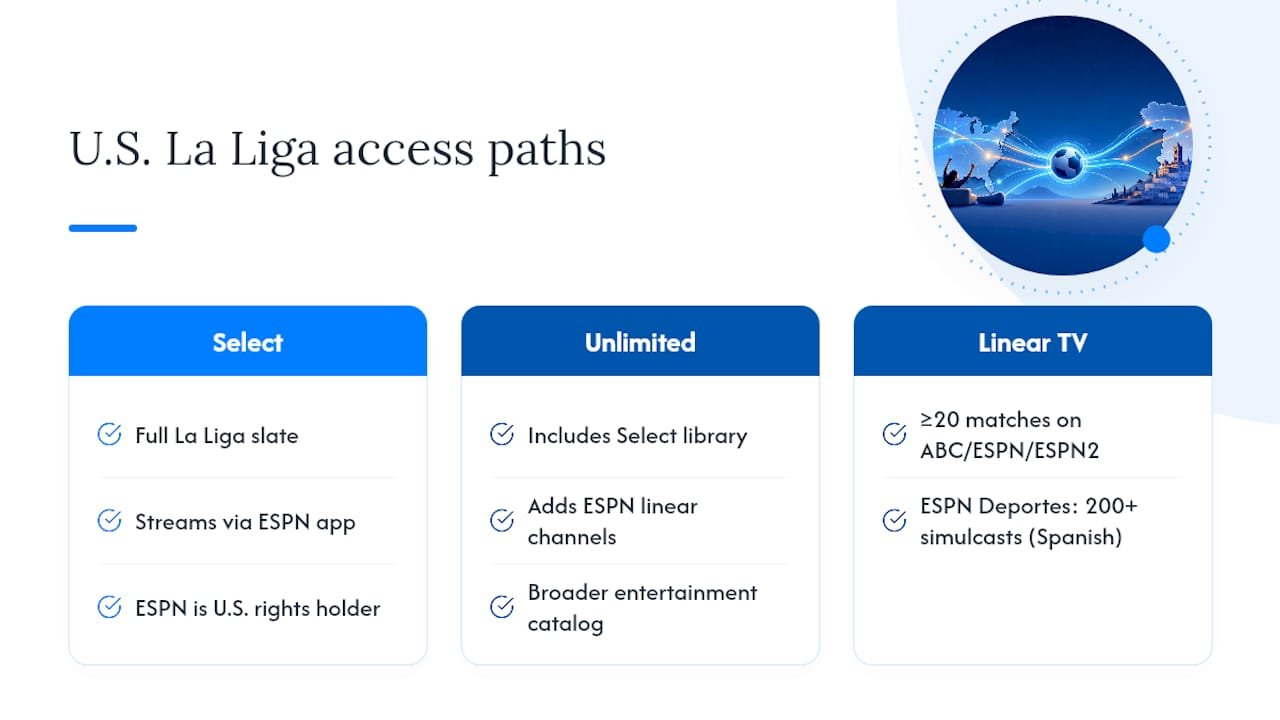
ESPN is the exclusive U.S. rights holder for La Liga, a deal that brought the league to millions more American fans when it was signed. Every match streams through ESPN Select inside the ESPN app, which functions as the digital hub for the league in the United States.
Linear television still plays a role. At least 20 matches per season get placed on ABC, ESPN, or ESPN2, giving cord-attached households a way to watch without opening an app. Spanish-speaking fans get even broader linear coverage: ESPN Deportes simulcasts more than 200 matches a season, making it the primary destination for Spanish-language broadcasts outside the app.
Inside the ESPN app, you’ll see two relevant labels: ESPN Select, which unlocks the full slate of La Liga matches on its own, and ESPN Unlimited, which folds in Select’s sports library alongside ESPN’s linear channels and a broader entertainment catalog. Business Insider confirms ESPN as the U.S. home for La Liga for the 2026 to 2027 season, which runs mid-August through late May.
If you want to double-check any of this before you subscribe, LaLiga’s own broadcaster directory lists ESPN as the confirmed U.S. partner, which is the most direct way to verify you’re buying the right product.
How Do You Sign Up and Set Up Your Devices?
Getting set up takes a few minutes if you know the order of operations.
- Decide your route first. Buy ESPN Select directly if you only want La Liga, or subscribe to ESPN Unlimited (or a Disney+ and Hulu bundle) if you want linear channels too.
- Download the ESPN app on your device of choice. It runs on Fire TV and Firestick, Roku, Apple TV, Samsung and LG smart TVs, iOS, Android, and any modern web browser.
- Link your account. If you’re subscribing through a live-TV provider like Hulu + Live TV, YouTube TV, or Fubo, sign into the ESPN app using your provider credentials rather than creating a separate ESPN login. This is what unlocks ESPN, ESPN2, and ABC content inside the app instead of forcing you to switch between apps on match day.
- Confirm your language settings. English is the default feed; Spanish commentary typically requires selecting ESPN Deportes or a Spanish-language stream directly.
- Run a device check before kickoff. Update the app, confirm you’re logged in, and test your internet connection.
If you’re setting up on a Firestick specifically, TVLio’s device compatibility guides walk through the app installation and login process in more detail, which is worth a look if you’re new to streaming boxes.
Pro Tip: Test your stream 10 to 15 minutes before kickoff, not five. Open the app, confirm access, toggle the audio language, and check your bitrate. Catching a login glitch with time to spare beats missing kickoff over it.
What Does It Cost to Stream Every Match?
Pricing depends entirely on which route you pick, and the gap between options is significant enough to matter.
- ESPN Select runs as a standalone tier starting around $13 per month, and it covers every one of the season’s 380 matches without extra add-ons.
- ESPN Unlimited costs more than Select alone but adds ESPN’s linear channels and a larger sports and entertainment library, useful if you follow other leagues too.
- Disney+ and Hulu bundles push the price higher still but make sense if you’re already paying for those services separately.
If you only care about a specific matchweek or a single rivalry match, a short free trial on a live-TV service can cover you without a long-term commitment. If you’re in it for the whole season, ESPN Select alone is the more economical route.
How Do You Watch La Liga in Spanish?
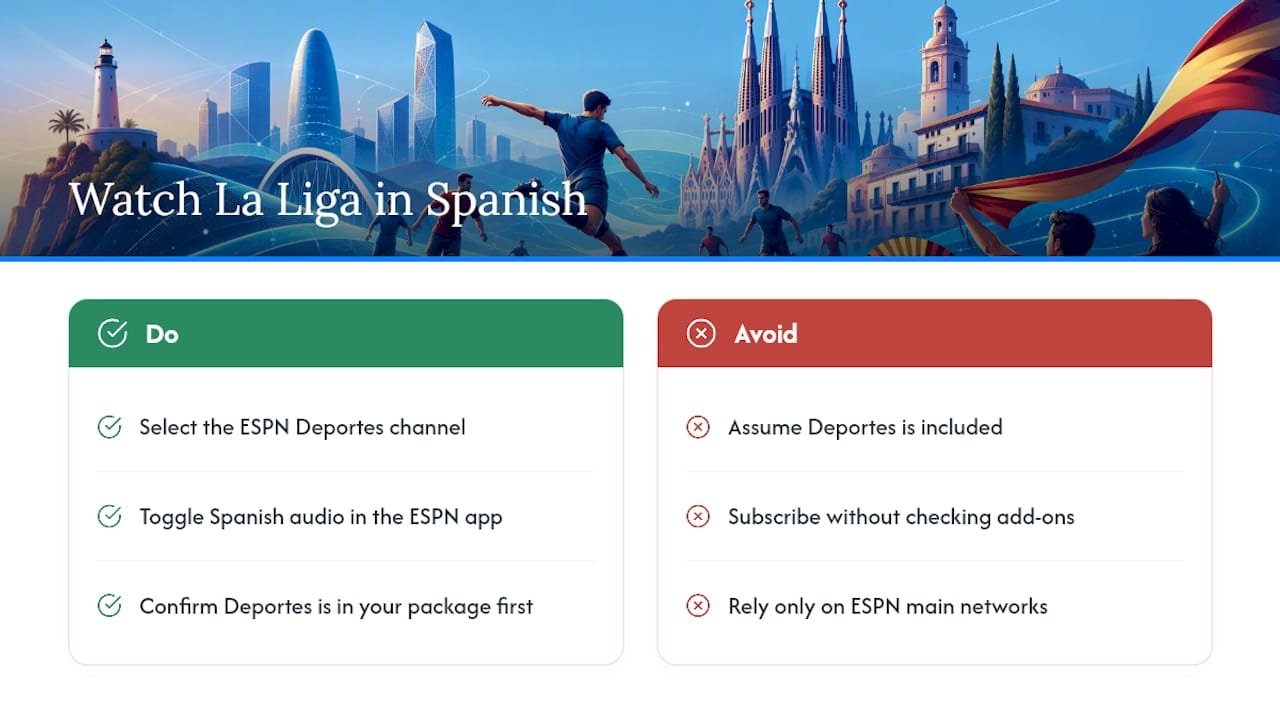
Spanish-language coverage runs primarily through ESPN Deportes, which carries the bulk of simulcast matches, and through Spanish-language streams available inside the ESPN app itself. Switching feeds is usually a matter of selecting the Deportes channel or toggling the audio option directly in the app, depending on your device.
One catch worth checking before you commit to a live-TV plan: some providers carry ESPN’s main networks but restrict ESPN Deportes behind a separate sports add-on. If Spanish commentary is non-negotiable for you, confirm Deportes is included in your specific package before you subscribe rather than assuming it comes standard.
Practical Streaming Tips for Match Day
A smooth stream comes down to preparation more than luck. A few things worth doing before every kickoff:
- Check your internet speed. A stable connection of at least 10 to 15 Mbps handles HD reliably; 4K streams need considerably more headroom.
- Use multiview if your plan supports it. The ESPN app allows some subscribers to track multiple matches at once, handy on a busy matchday with simultaneous kickoffs.
- Stick to official providers. Free third-party streams carry real risk, from malware to sudden takedowns mid-match, and TVLio’s breakdown of those risks is worth reading if you’ve been tempted by one.
- Skip the VPN. U.S. fans generally don’t need one for La Liga, since ESPN’s rights deal already covers the entire season in both languages.
Pro Tip: Keep a backup device charged and logged into your ESPN account. If your smart TV app glitches mid-match, switching to a phone or tablet takes seconds, and you won’t miss the next goal sorting out a frozen screen.
Why Centralized Rights Actually Help U.S. Fans
A single rights holder sounds like a downside until you’ve spent a season chasing matches across four different apps. ESPN’s deal means one login, one place to switch between English and Spanish, and no guessing which platform has this week’s fixture. Live-TV bundles still earn their keep for fans juggling multiple leagues who want DVR and channel surfing built in. For everyone else, app-first access is simply less friction, and official providers still win on stream quality and reliability.
— ANASS
Get More Streaming Setup Help From Tvlio
There are plain-language breakdowns of streaming setups that help identify which options fit your device and your wallet, without steering you toward whatever pays the biggest commission.
If you’re still deciding between a Firestick, a Roku, or a smart TV app for your La Liga viewing, Tvlio’s device setup and provider guides walk through the actual installation steps rather than just listing specs. And if you’ve been eyeing a free stream out of frustration with cable pricing, it’s worth reading through the safer streaming alternatives breakdown first. It compares the real risks against legitimate low-cost options you probably haven’t considered.
Head to the Tvlio blog for the full setup walkthrough and pick the streaming path that actually matches how you watch.
Sources
FAQ
Is La Liga on Peacock?
No. Peacock does not carry La Liga in the United States. ESPN holds the exclusive U.S. streaming and broadcast rights through ESPN Select and the ESPN app.
Who Has La Liga TV Rights in the U.S.?
ESPN holds the U.S. rights to La Liga, streaming every match through ESPN Select while also placing select games on linear ABC, ESPN, and ESPN2, with Spanish coverage on ESPN Deportes.
Is La Liga on Amazon Prime?
No, Amazon Prime Video does not carry La Liga in the U.S. ESPN is the sole official rights holder, so Prime subscribers would need a separate ESPN subscription to watch.
Is La Liga Still on Hulu?
La Liga is accessible through Hulu only if you subscribe to Hulu + Live TV with channels that carry ESPN programming, or if your Disney+ and Hulu bundle includes ESPN Unlimited access.
Do I Need a VPN to Watch La Liga in the U.S.?
No. ESPN’s rights deal already covers the full season in English and Spanish for U.S. viewers, so a VPN adds no real benefit and can violate streaming terms of service.